
UAT in software development is the final check where real users test new software to make sure it does what they actually need. It happens just before launch. If the software passes, it's signed off and goes live. If not, it goes back for fixes.
Plenty of projects pass every technical test and still fail on day one, because nobody asked real users to try them properly. This guide explains what UAT is, who does it, how the process works, and the main types, with a simple example you can copy.
What Is UAT in Software Development?
UAT stands for user acceptance testing. It's the last stage of testing, where business users or end users check that the software works in real-life situations and meets the agreed requirements. The main goal is to confirm the software is ready for the people who'll use it, rather than to hunt for every small bug.
Think of it like a final walk-through before you move into a new house. The builders have already checked the wiring and plumbing. Now you check that the rooms, doors, and kitchen work the way you asked.
The ISTQB glossary of testing terms describes acceptance testing as testing that checks whether a system meets user needs and business requirements, so the customer can decide whether to accept it.
Why UAT Matters
Developers and testers know how the software is supposed to work. Real users know how they actually work. UAT closes that gap.
Here's what it helps you do:
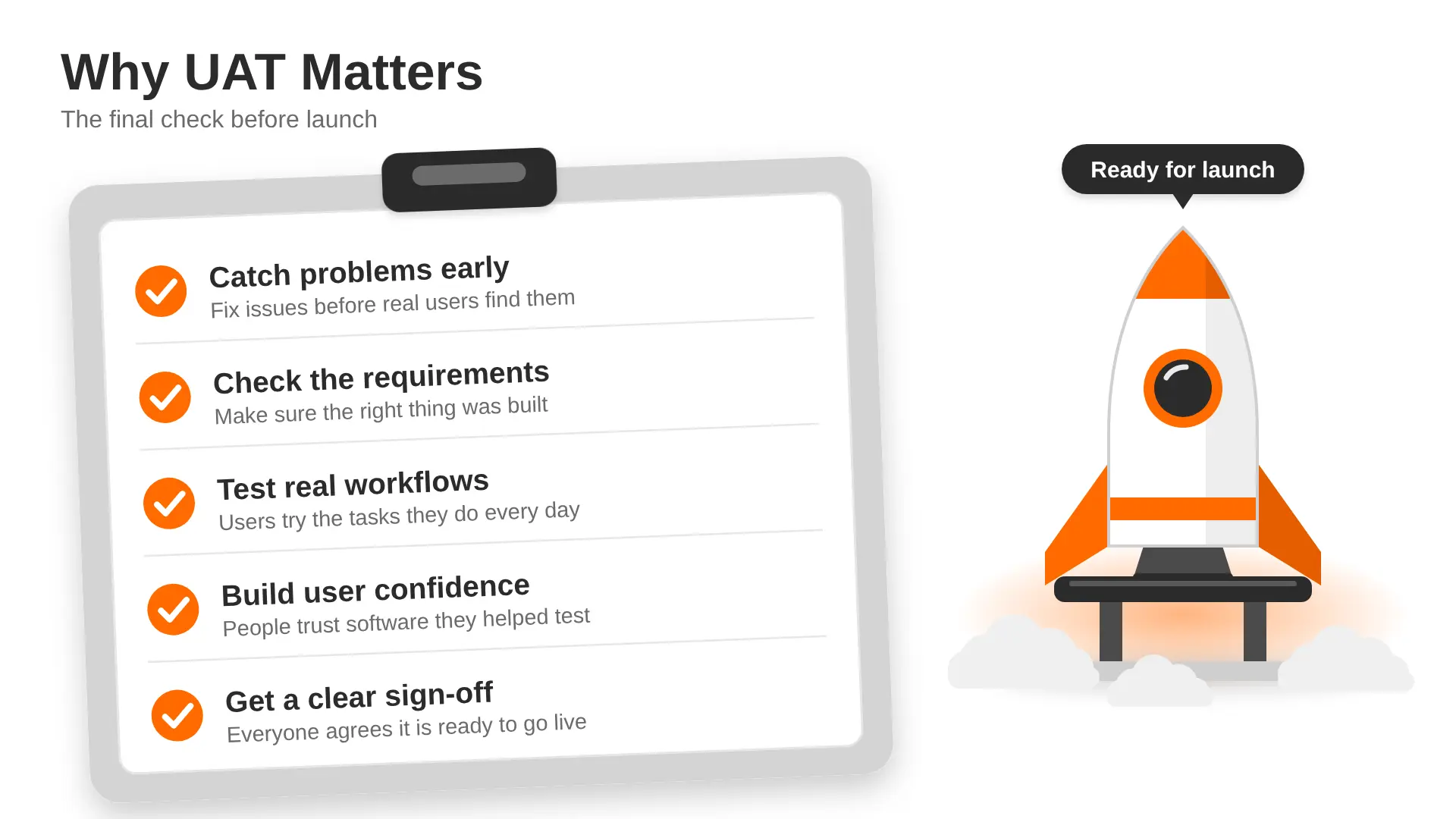
- Catch problems before launch. Fixing an issue after release usually costs more time, money and trust than fixing it in testing.
- Check the requirements were understood. Sometimes the software works perfectly but solves the wrong problem.
- Confirm real workflows. Users test the tasks they do every day, such as raising an invoice or booking an appointment.
- Build confidence. When users have tested and approved the software, they're more likely to adopt it.
- Create a clear sign-off. Everyone agrees the software is ready, which avoids arguments later.
A common problem we see in client projects is teams cutting UAT short to hit a launch date. It nearly always shows up later as support tickets and rework.
Who Performs UAT?
UAT is done mainly by the people who'll use the software or who own the business need. The development team supports them but doesn't run the tests.
The key point is that the people testing should be close to the real users, not the people who built the software.
When Does UAT Happen?
UAT comes at the end of the testing phase in the software development life cycle (SDLC), after unit, integration and system testing. Our guide to the top SDLC methodologies explains how this fits into different ways of working.
Entry criteria (what must be ready before UAT starts):
- Business requirements are agreed and signed off
- System and integration testing are complete
- No critical or high-priority bugs are still open
- A UAT environment is set up with realistic test data
- Test scenarios are written and testers know what to do
Exit criteria (what must be true before sign-off):
- All key test scenarios have been run
- No critical issues remain open
- Any minor known issues are logged and agreed
- The business owner has formally signed off
UAT vs QA vs System Testing
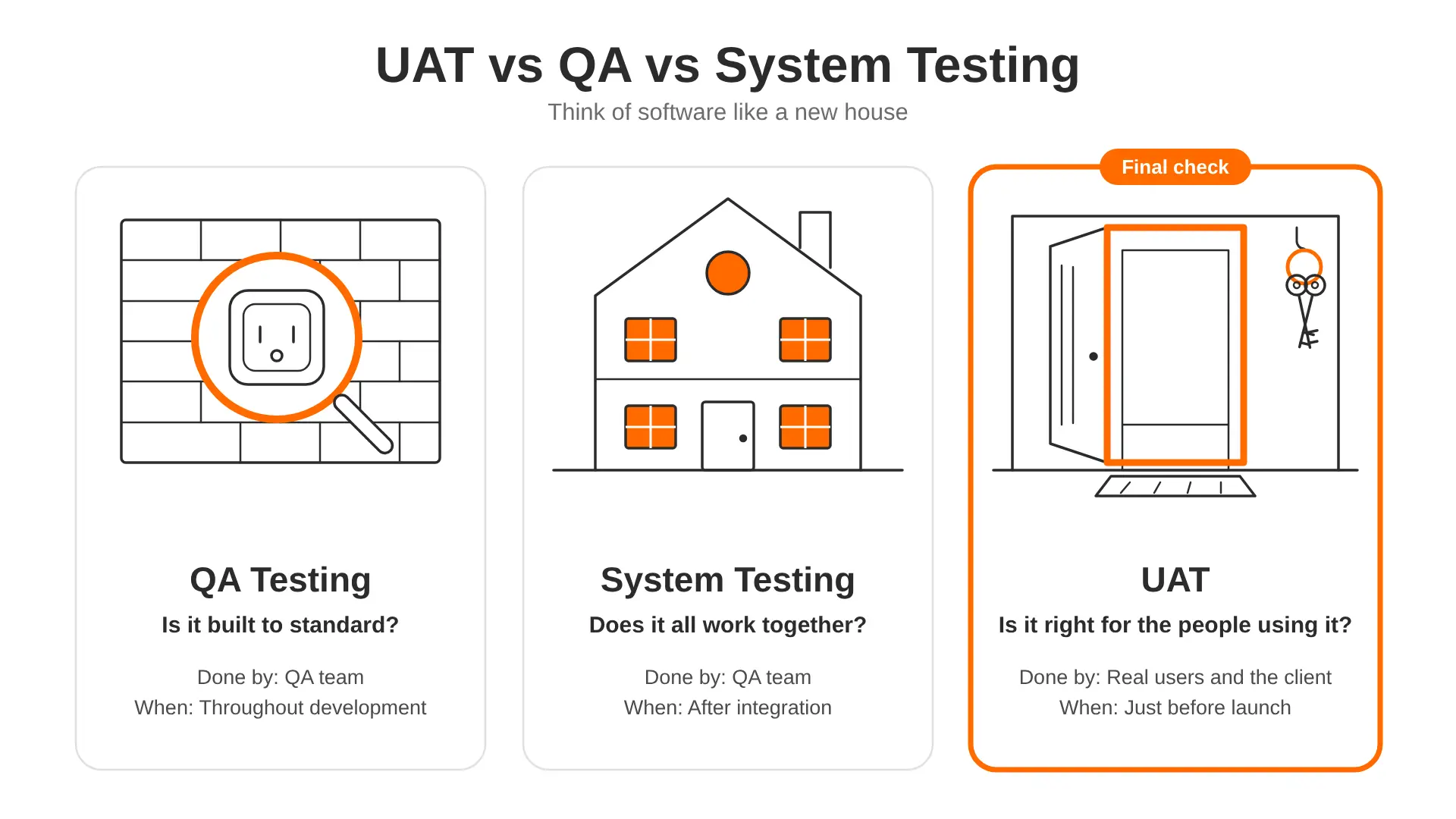
These terms often get mixed up. Here's a simple comparison:
In short, QA and system testing check that the software is built right. UAT checks that the right software was built.
Types of UAT
There are several types of user acceptance testing. Most projects use one or two, depending on the product. If you want to go deeper, the ISTQB Certified Tester Acceptance Testing syllabus covers each type in detail.
Alpha Testing
Alpha testing is done in-house, often by internal staff who act like real users, before the software reaches any customers. It catches obvious problems early in a safe setting.
Beta Testing
Beta testing gives the software to a small group of real customers in their own environment. Their feedback shows how it performs in everyday use. Many apps run a beta before a full public launch.
Business Acceptance Testing (BAT)
BAT checks that the software supports the business goals and processes. For example, a sales team might check that the new CRM tracks deals the way their sales process works.
Contract Acceptance Testing (CAT)
CAT checks the software against the terms agreed in a contract. If a contract says the system must handle certain features or performance levels, CAT confirms them before payment or handover.
Regulation Acceptance Testing (RAT)
RAT makes sure the software follows laws and industry rules, such as data protection or financial regulations. It's especially important in areas like banking, healthcare and payments. Teams working in fintech software development often treat this as a must-have stage.
Operational Acceptance Testing (OAT)
OAT checks that the software is ready to run day to day. That includes backups, recovery, security checks, monitoring and maintenance tasks. It's often done by operations or IT teams.
The UAT Process: Step by Step
A clear process keeps UAT focused and on time. Here's a simple seven-step approach.
1. Review the Business Requirements
Start with what the software is meant to do. Read the requirements, user stories and acceptance criteria. If something is unclear, fix it now, not halfway through testing.
2. Create a UAT Plan
Write a short plan that covers:
- What will be tested and what won't
- Who will test and who will sign off
- The timeline and test environment
- How issues will be reported and fixed
3. Write Test Scenarios and Test Cases
Turn real tasks into test scenarios. Each test case should include clear steps and an expected result. Use plain language, as business users will be running them.
4. Prepare the Test Environment and Data
Set up an environment that feels as close to live as possible. Use realistic data, but keep personal data safe by using anonymised or made-up records.
5. Choose and Brief the Testers
Pick people who represent your real users. Give them a short walk-through of the test cases and how to report issues. A 30-minute briefing can save days of confusion.
6. Run the Tests and Log Issues
Testers work through the test cases and record what happens. Every issue should be logged with steps to repeat it, screenshots and how serious it is. Developers fix the issues, and testers retest them.
7. Review Results and Sign Off
Once the exit criteria are met, the business owner reviews the results and signs off. Keep a summary of what was tested, what passed, and any known issues. This becomes useful for future releases.
UAT Test Case Example
Here's a simple example for an online shop's checkout. You can copy this format for your own project.
UAT-03 failing would be logged as an issue, fixed by developers, and then retested before sign-off.
UAT in Agile Projects
In Agile teams, UAT doesn't have to wait until the very end. It often happens in smaller pieces, alongside each sprint or feature.
- Acceptance criteria live in user stories. Each story says what must be true for it to be accepted.
- Product owners test as features are finished, often during the sprint review.
- A final UAT round still happens before a major release to check full end-to-end journeys.
This approach finds problems earlier and spreads the testing work out. It suits products that grow step by step, such as a new SaaS platform or an early version of a product. When we build an MVP, short UAT rounds with a few real users help confirm the core idea before more features are added. Our guide on how to build a SaaS product shows how testing fits into each stage.
Common UAT Challenges and How to Fix Them
Popular UAT Tools
You don't need expensive software for UAT. For small projects, a shared spreadsheet can work. As projects grow, these tools help:
- Jira: tracks issues and links them to user stories
- TestRail: manages test cases, test runs, and results
- Zephyr or Xray: test management add-ons that work inside Jira
- BrowserStack: tests websites and apps on many real devices and browsers
- Loom: lets testers record their screen to show an issue clearly
FAQs About UAT in Software Development
What is the difference between QA and UAT?
QA testing checks that the software meets quality standards and works without errors. It's done by the QA team throughout development. UAT checks that the software meets real user and business needs. It's done by end users or the client, just before launch, and ends with a formal sign-off.
How long does UAT take?
It depends on the size of the project. For a small or mid-sized web app, UAT often takes one to two weeks. Larger or regulated systems can take longer. Planning test cases early and having testers ready helps keep it on schedule.
Who writes UAT test cases?
UAT test cases are usually written by business analysts or product owners, often with help from the QA team. The end users should review them, as they know the real tasks best. Test cases should use simple, clear language that non-technical testers can follow.
Can UAT be automated?
Parts of it can. Repeated checks, like core user journeys, can be automated to save time. But UAT relies on human judgement about whether the software feels right and fits real work, so most of it is still done by people.
What happens if UAT fails?
If UAT fails, the issues are logged, prioritised and sent back to the development team. Once they're fixed, testers retest the affected scenarios. Sign-off only happens when the agreed exit criteria are met, so a failed UAT may delay the launch.
Final Thoughts
UAT is the final check that your software works for the people who'll use it every day. Plan it early, choose real users as testers, write clear test cases and agree what "done" means before you start. It may add a week or two to your timeline, but it saves far more time than fixing problems after launch.
UAT time is also worth building into your budget from the start. Our custom software development cost guide explains what shapes the overall price of a project.
If you need a team that builds and tests your software properly from day one, our web application development company in the UK can help, from early planning to a smooth launch.